
Description
BLUETOOTH HEADPHONES
Cat-ear accents. Four ways to listen.
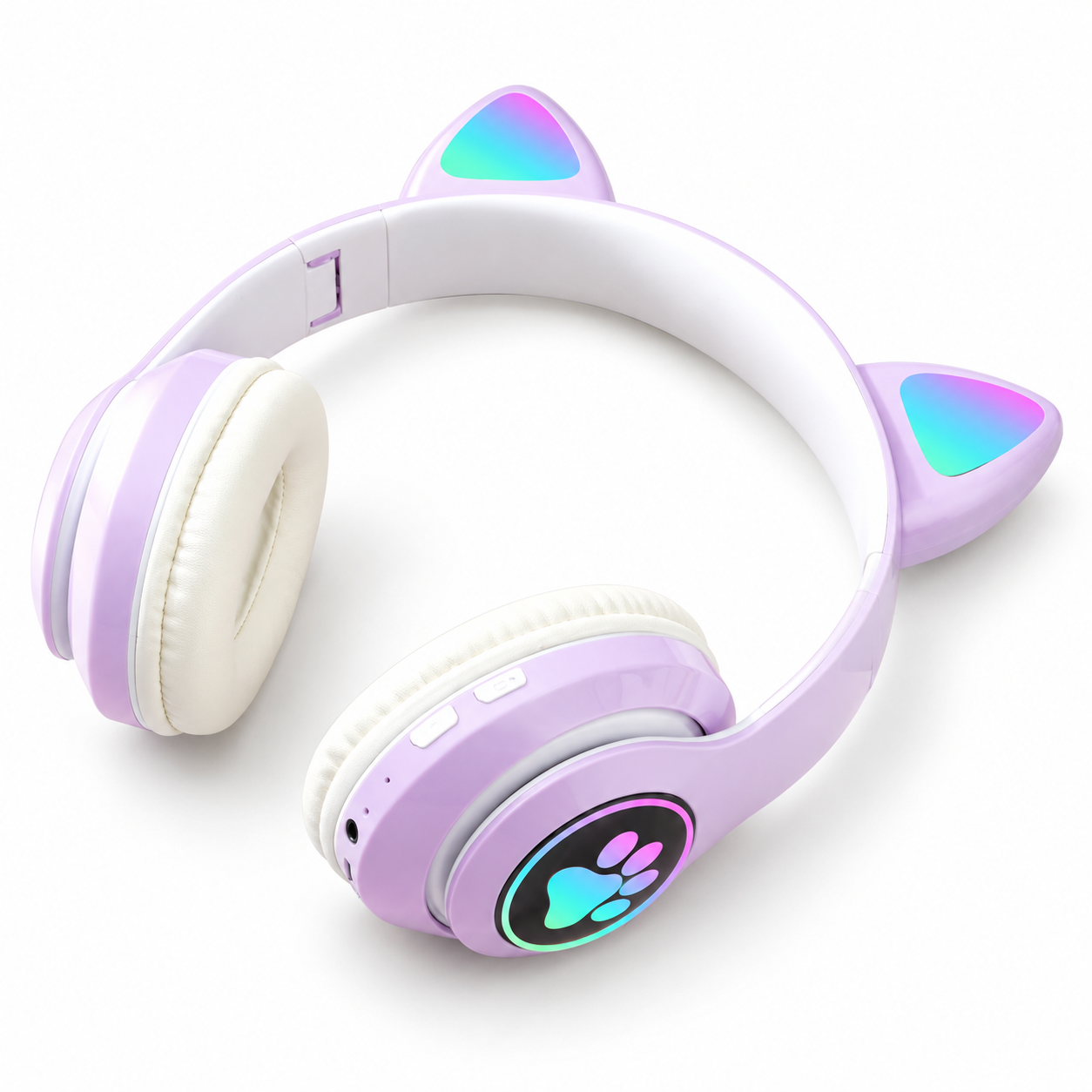
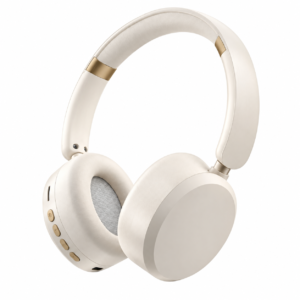
Purple and white STN-28 headphones with light-up cat ears, a rainbow paw motif and padded ear cushions. Bluetooth V5, a 3.5 mm audio input, TF card playback and FM radio offer several ways to listen.
- Bluetooth version
- V5
- Battery capacity
- 400 mAh
- Wired audio
- 3.5 mm stereo audio input
MADE FOR YOUR LISTENING ROUTINE
Purple and white, with a paw motif.
The STN-28 pairs a purple exterior with white ear cushions and a white inner headband. Multicolour cat-ear inserts and a paw motif give it a distinctive look. An adjustable headband and folding hinges help with fit and storage.
Bluetooth V5 supports HSP, HFP, A2DP and AVRCP, with an approximately 10 m listed range. The 40 mm drivers have 32-ohm impedance and a listed response of 20 Hz–20 kHz. Use the 3.5 mm stereo input for wired audio, or listen through a TF/microSD card up to 32 GB or FM radio.
A 400 mAh rechargeable polymer lithium-ion battery is rated at 3.7 V. The retailer lists up to 4–6 hours of music playback and up to 7 hours of talk time. Runtime varies with volume, lighting and use. A built-in microphone supports calls, with volume and track controls on the headset.
TECHNICAL DETAILS
Specifications.
Audio, connections and design
- Model
- STN-28
- Colour
- Purple / White
- Wearing style
- Headband stereo headphones
- Bluetooth version
- V5
- Bluetooth profiles
- HSP, HFP, A2DP, AVRCP
- Wireless range
- Approximately 10 m
- Driver diameter
- 40 mm
- Speaker impedance
- 32 Ω
- Frequency response
- 20 Hz–20 kHz
- Battery capacity
- 400 mAh
- Battery type
- 3.7 V polymer lithium-ion rechargeable battery
- Music playback
- Up to 4–6 hours
- Talk time
- Up to 7 hours
- Wired audio
- 3.5 mm stereo audio input
- Memory card support
- TF / microSD, up to 32 GB
- Radio
- FM playback
- Microphone
- Built-in
- Controls
- Volume and track controls
- Construction
- ABS housing; adjustable folding headband with padded ear cushions
- Lighting
- Multicolour cat-ear inserts and paw motif
EVERYDAY USE
Set up. Listen. Store.
Getting started
Charge before first use. Switch on the headphones, open Bluetooth settings on your audio device and select the headphones to pair. Start playback at a low volume, then adjust gradually.
Looking after your headphones
Wipe the headband and ear cups with a soft, dry cloth. Keep the charging port dry and avoid excessive heat. Store without putting pressure on the ear cups or twisting the headband.
Need order support?
Email contact@kyberkinb.com with your product name or order number. See our Refund Policy for return information.

Reviews
There are no reviews yet.